Table of Contents
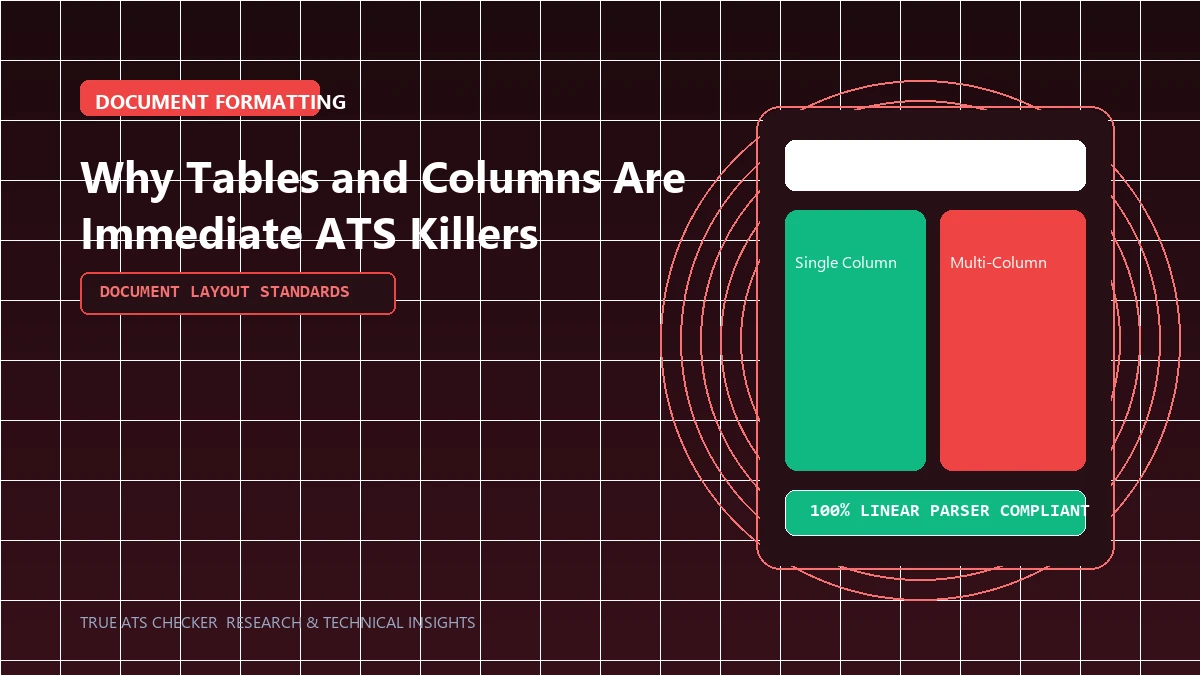
Tables and multi-column grids are among the most persistent formatting mistakes on modern resumes. Understanding how computer software parses document geometry explains why tables cause catastrophic data corruption.
Tables and columns cause ATS parsers to interleave text horizontally across unrelated cells, merging job titles, dates, and skills into unsearchable strings.
- ✓ Parsers like Apache Tika extract text by Y-coordinates, reading across table columns horizontally.
- ✓ Use Right-Aligned Tab Stops in Word or Docs to position dates on the right margin without tables.
- ✓ Making table borders transparent does not hide the underlying XML table elements from document parsers.
#Direct Answer: Why Parsers Fail on Tables
When an ATS ingests a PDF or Word document, it strips out the visual CSS and layout coordinates, reading text sequentially in a single linear stream. If a table has two columns (e.g., job dates on the left and responsibilities on the right), the parser reads horizontally across the row boundary, interleaving dates and text into a scrambled string.
The 80% Rule
Most enterprise Applicant Tracking Systems (like Workday and Taleo) require a semantic keyword match score of 80% or higher before forwarding your resume to a human recruiter.
Check your ATS score#Best Practice: Tab Stops and Margin Alignment
To align text cleanly to the right margin (such as dates and locations) without tables, use standard Microsoft Word tab stops or simple right-aligned text formatting on a single line.
#Technical Mechanics: How Linear Parsing Breaks Table Cells
Document ingestion libraries (such as Apache Tika and PDFBox) extract text by analyzing string coordinates on the page. In a standard single-column document, the parser moves smoothly from line 1 to line 2. In a table, however, line coordinates overlap across separate cells. Many legacy ATS engines extract all strings at Y-coordinate 240pt before moving to 255pt, effectively interleaving the content of unrelated columns:
When the candidate record is indexed, the employer, job title, and dates become fused into a single un-indexed string, preventing recruiters from filtering by job title or company.
#How to Format Margins and Dates Without Tables
To align text cleanly across the page (for instance, placing company name on the left and dates on the right) without triggering table parsing bugs:
- In Microsoft Word: Use standard Right-Aligned Tab Stops. On the horizontal ruler, click the far right margin and select "Right Tab". Pressing Tab once jumps your cursor directly to the right margin while keeping the text on a single, continuous line.
- In Google Docs: Click
Format > Align & Indent > Tab Stops > Add Right Tab Stopat the 6.5-inch mark.
#Border Traps & Invisible Tables
- Borderless Tables: Making table borders transparent does NOT fool the parser. The document XML tree still contains
<w:tbl>and<w:tc>elements that trigger cell coordinate parsing bugs. - Multi-Row Skill Grids: Constructing 4x4 tables for skills risks dropping half of your competencies if the parser halts extraction mid-table.
#Frequently Asked Questions
Do modern AI parsers still struggle with tables?
While modern multi-modal AI models can understand visual table geometry, enterprise ATS platforms (like Taleo, iCIMS, and legacy SAP SuccessFactors) still rely on traditional plain-text tokenizers that fail on tables.
Are single-row tables safe for contact headers?
No. Even a single-row table can cause the parser to treat your header as an embedded graphic or skip it entirely.
#Conclusion
Stick to a single-column linear layout. Download safe, table-free templates from our ATS Template Catalog.
Test Your Resume Against the ATS
Stop guessing. See exactly how applicant tracking systems parse your resume, completely free.
Scan My Resume NowTrue ATS Editorial Team
An expert in career progression and Applicant Tracking System (ATS) optimization. Dedicated to helping job seekers navigate modern hiring algorithms using data-backed insights.